






Australia OSAP changes take effect on 1 December 2026 for selected construction-trade occupation and passport-country combinations. Before preparing a migration skills assessment, check both parts of the official row. A familiar job title alone does not tell you which route applies.
This report turns the notice into a readable matrix, a route-check infographic and four downloadable CSV files. It separates the announced change from your individual eligibility. It also distinguishes an application already submitted from a pack that is only being prepared.
What the Australia OSAP changes cover
Trades Recognition Australia’s 25 November notice identifies six occupation codes. The passport-country list varies between them. From 1 December, the combinations specified in that notice move to the Offshore Skills Assessment Program, rather than the Migration Skills Assessment route.
The transition also matters. TRA says it will assess MSA applications submitted before the change under the requirements that applied at submission. A person who has gathered documents but has not submitted an application should not treat that preparation as the same event. Keep the actual submission confirmation and date in your private records.
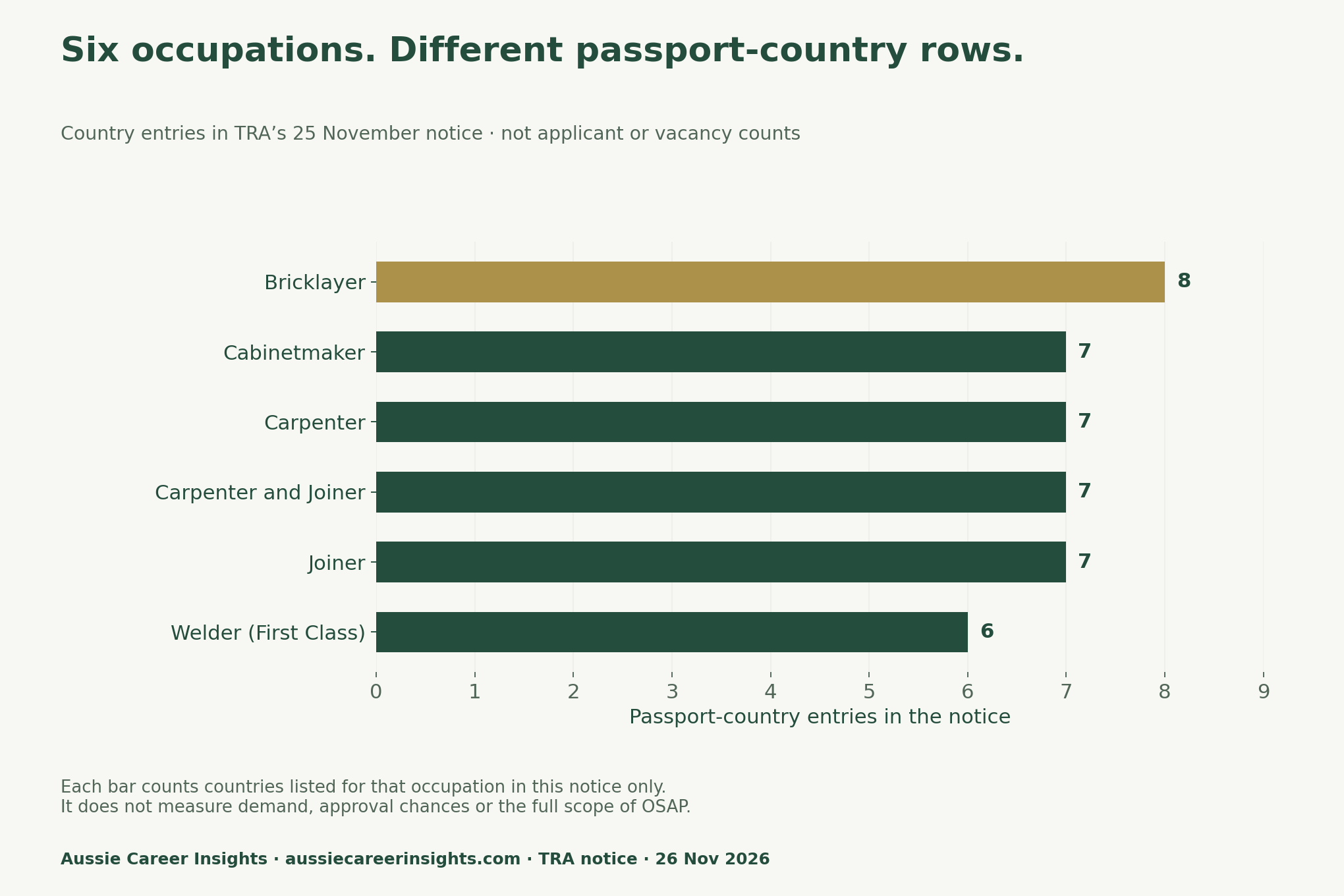
Read the occupation-and-country matrix
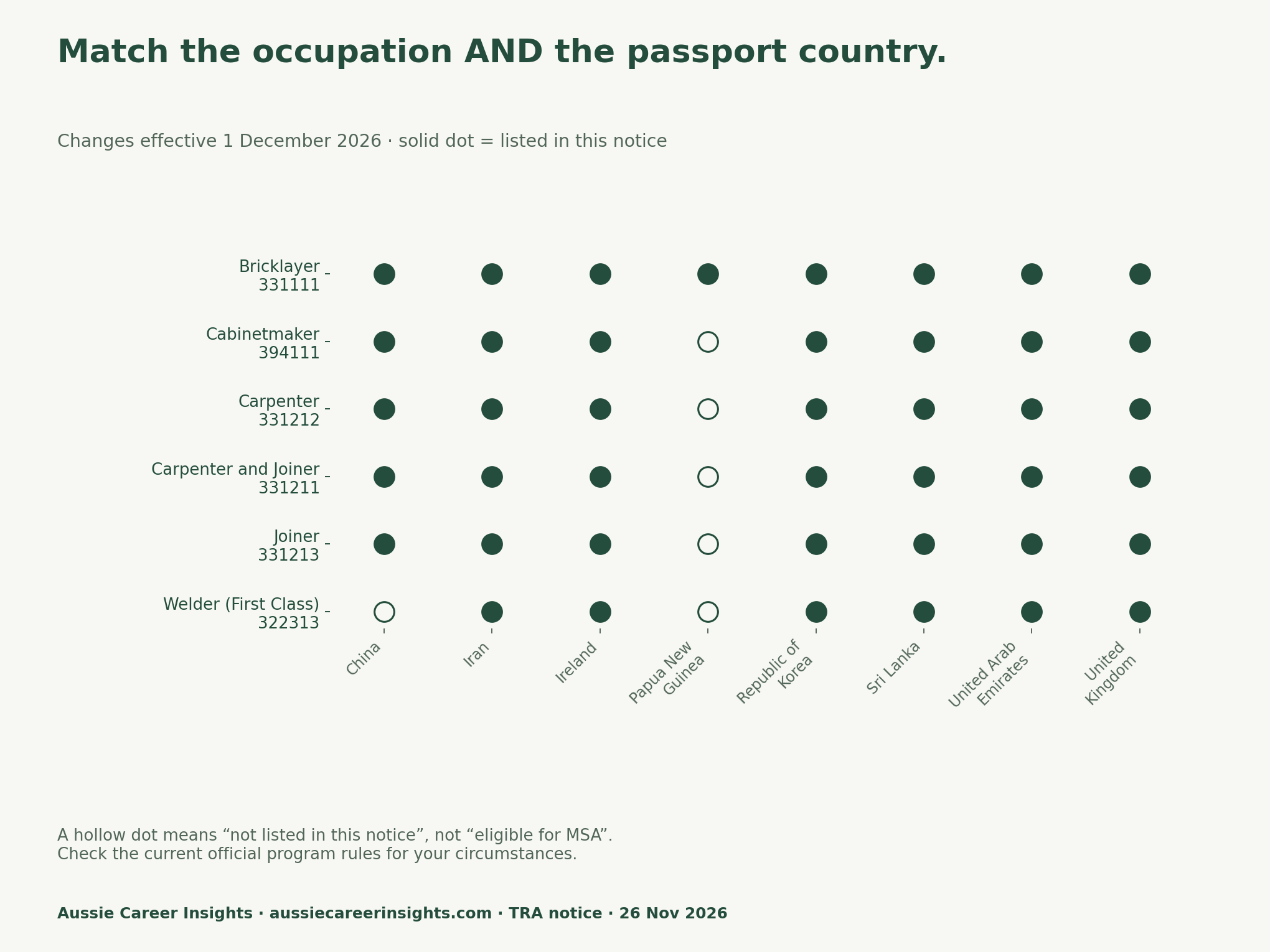
Use the exact six-digit ANZSCO code beside the occupation. For example, Carpenter and Carpenter and Joiner are separate rows. Do not assume that a combined title is interchangeable with either component. The matrix below preserves that distinction instead of grouping similar trades together.
| Occupation | ANZSCO | Countries listed |
|---|---|---|
| Bricklayer | 331111 | 8 |
| Cabinetmaker | 394111 | 7 |
| Carpenter | 331212 | 7 |
| Carpenter and Joiner | 331211 | 7 |
| Joiner | 331213 | 7 |
| Welder (First Class) | 322313 | 6 |
There are 48 possible cells in this display because it shows six occupation rows and eight distinct countries. Of those, 42 cells are marked as listed. Those are editorial counts of table entries, not official estimates of affected workers. The long-form CSV lets readers reproduce each cell without relying on the image.
Two checks that prevent a false match
First, stay within the same row. A passport country appearing beside one trade does not establish its treatment beside another. For example, Papua New Guinea appears in the Bricklayer row of this notice. Its absence from another row must remain an absence from this particular notice, rather than a broader conclusion about that applicant’s route.
Second, use the country attached to the passport for the official check, rather than guessing from where someone lives or works. This public worksheet does not need a passport number, a scan or a date of birth. Record only the non-identifying country and the occupation code required to read the notice.
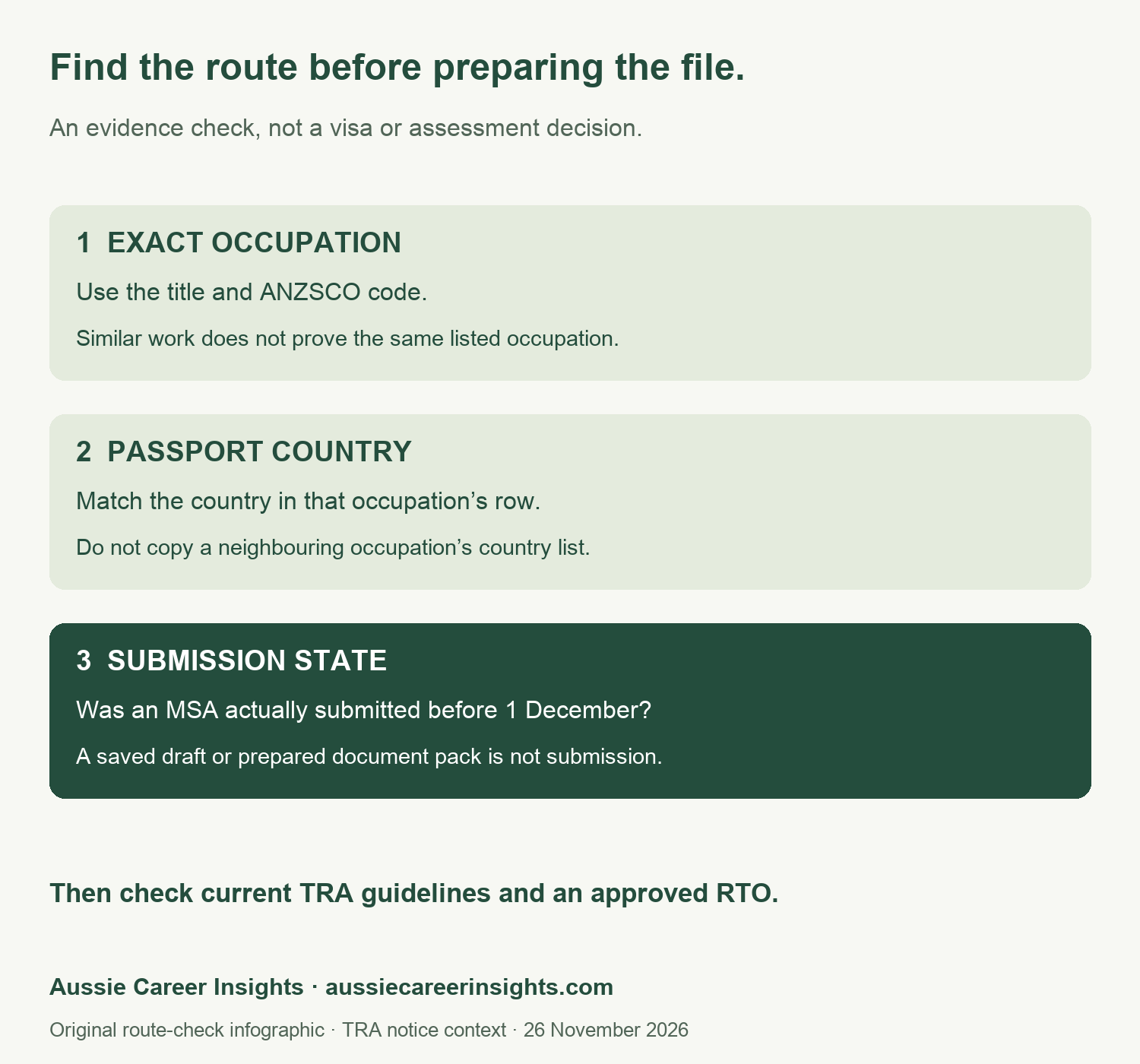
What to do after a notice match
Next, read the official OSAP program overview and the current OSAP guidelines. TRA uses approved registered training organisations for assessments. The relevant pathway and evidence requirements need to be checked against your circumstances, rather than inferred from the matrix.
Use a simple question log when contacting an approved provider. State the exact occupation code, passport country and whether an application has already been submitted. Ask which current guideline and pathway apply. Keep the provider’s answer, date and any unresolved point together so a later conversation does not lose the context.
A skills assessment is one part of a wider process. It does not itself grant a visa, a trade licence or a job. Likewise, this notice does not measure demand for workers in these trades. Keep migration, licensing and employment questions separate, and use the appropriate official authority for each decision.
If your combination is not marked
Do not turn a hollow dot into a positive result for a different program. The display contains only the combinations in this announcement. Other current rules may still matter. Check the complete official requirements before deciding what to submit or paying for a service.
If the title on your employment evidence differs from the assessment occupation, note that mismatch as a question. Do not silently change a code to make a row fit. A useful record says what is confirmed, what remains unknown and who needs to clarify it. It does not manufacture certainty from a similar-sounding title.
Download the matrix and a private planning worksheet
The occupation CSV transcribes the announced rows. The second file expands them into 48 auditable cells. The blank worksheet captures non-identifying route questions, while the boundary register explains what each piece of evidence can establish. Two charts are sufficient: one compares the row sizes and the other shows the actual combinations.
- Official-notice occupation rows and country lists (CSV)
- Full 48-cell notice-membership matrix (CSV)
- Blank non-identifying route-check worksheet (CSV)
- Evidence questions and limits register (CSV)
Check the live TRA notice again before acting, because program guidance can change. This report was prepared on 26 November 2026. Its table arithmetic is reproducible, but its planning tools do not replace official requirements or individual advice. Avoid rushing an incomplete submission merely to fit a date in a headline.
Your Personalized Career Strategy
Unlock your potential with tailored career consulting. Get clear, actionable steps designed for your success. Start now!
Get StartedFor related reporting, browse Trades and Skilled Labor and Research & Reports. Suggested citation: Aussie Career Insights, “Australia OSAP Changes: Check Your Trade and Passport Row”, 26 November 2026.


